

Missing an account/client in the overview?
Check "Show all" under the client or account list to get an overview of all clients/accounts registered in Aritma Control.
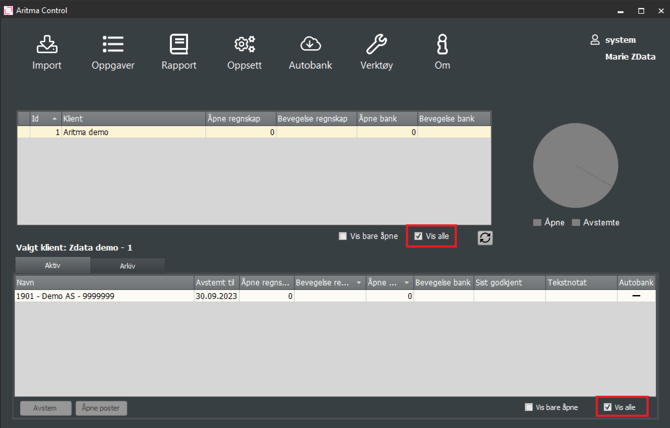
A common issue is that you may still have an old client in the system that you no longer use. This can prevent you from creating new clients if your license has a limited number of clients.
If an account has been created previously, you will also not be able to create a new account group with this account until it has been deleted. By selecting "Show all", you may notice clients/accounts you do not usually work with. Learn more about deleting account groups here.
Create/Register a new client
Control General
-
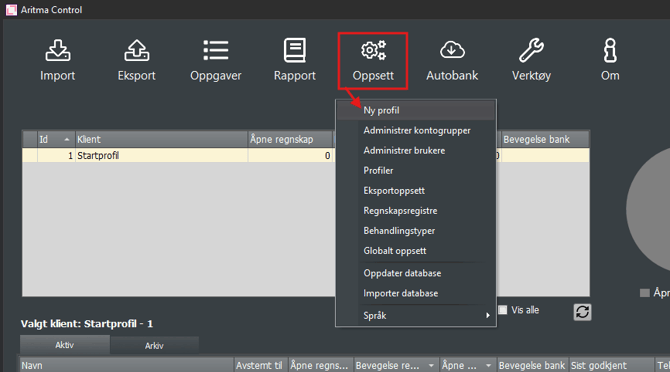
Go to Setup → New Profile
-
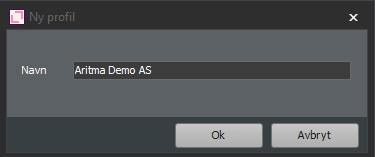
Enter the desired name and click OK.
-
User rights for the client can be managed under Setup → Manage Users.
Control for Visma Business/Global
-
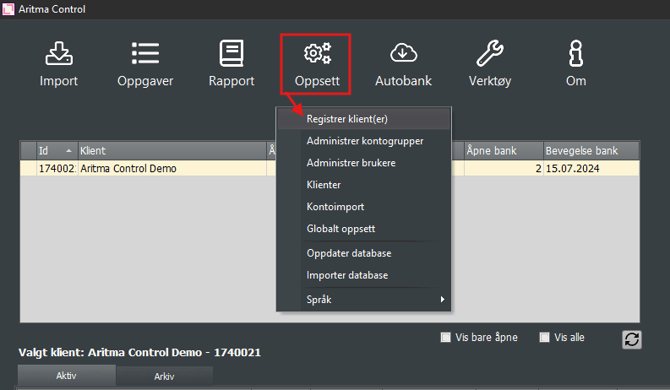
Go to Setup → Register Client(s)
-
Select the client to be registered from the list that appears and click OK.
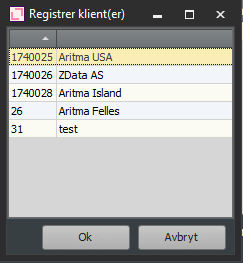
If the client is not on the list, it indicates that it was added previously, but the logged-in user does not have permissions. See manage users.