

Oppsett i Aritma Pay
To import incoming payments into Visma Business, you must first configure an import in Aritma Pay.
Setup in Aritma Pay
-
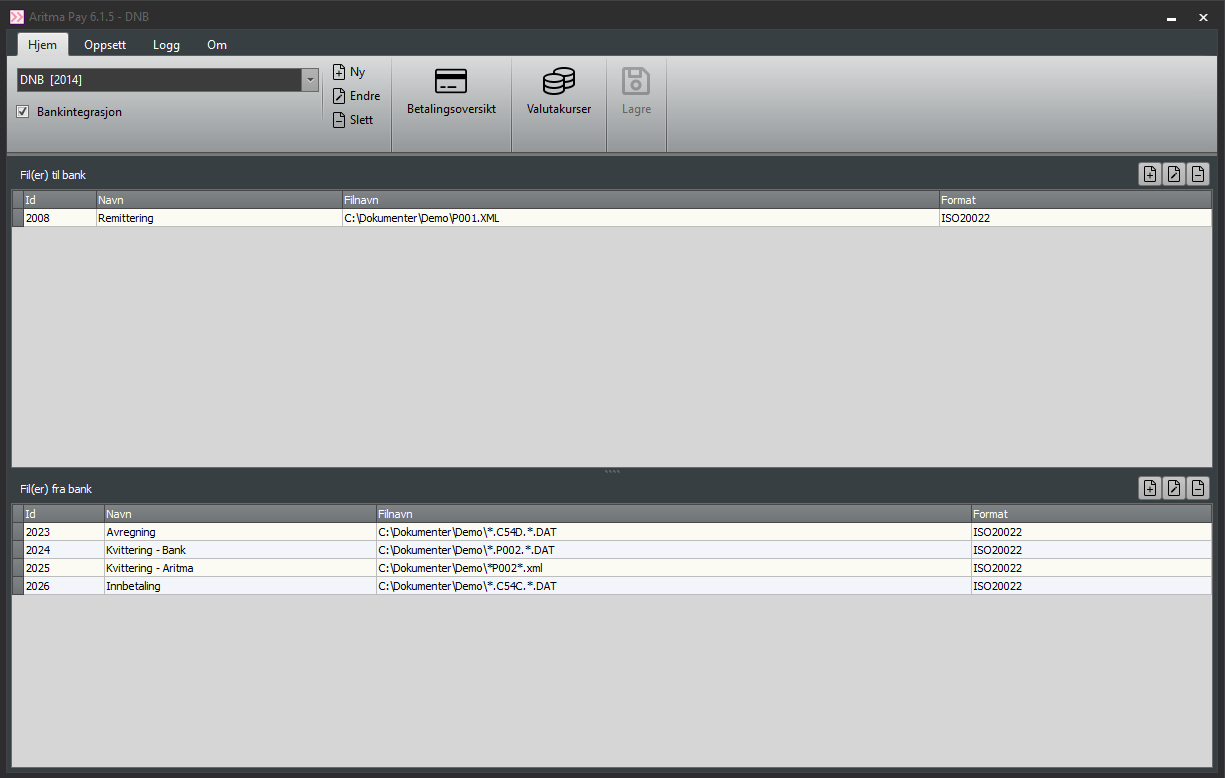
Open the setup in Aritma Pay.
-
Click Add import and add a filename filter that points to the incoming payment file.
-
More details on creating an import and adding filename filters can be found [here].
-
-
Select the correct format for the incoming payment file.
-
Normally this is ISO20022.
-
ISO20022 files contain both manual and structured payments (KID), and with available rules you can also automatically match payments without KID.
-
Setup in Visma Business
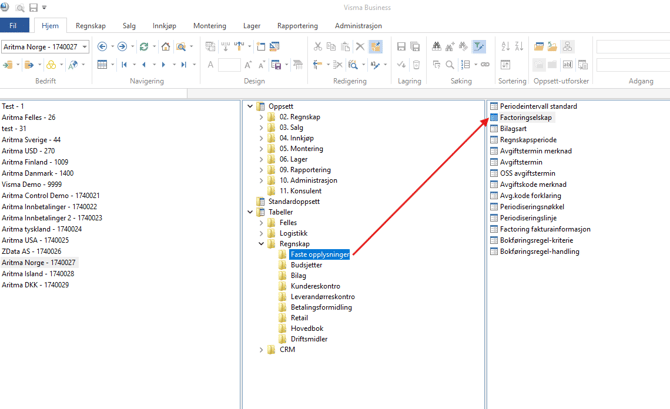
The configuration for incoming payments is done in the Factoringselskap table in Visma Business.
Path:Utforsker -> Tabeller -> Regnskap -> Faste opplysninger -> Factoringselskap.
In the Factoringselskap table:
-
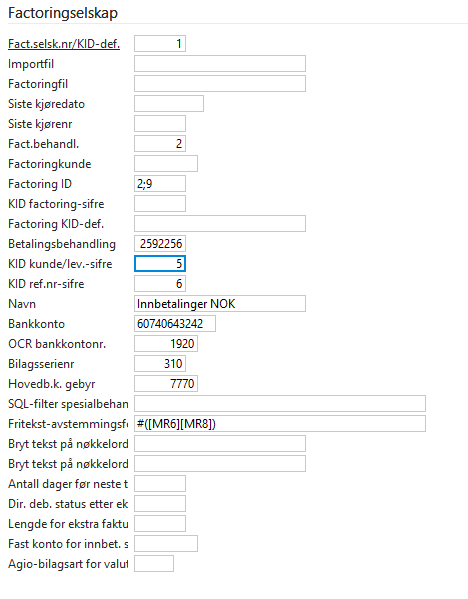
Set Fact.behandl. to 2 (OCR / KID definition).
-
Enter the account number under Bank account.
-
The account must be written exactly as on incoming payments (BBAN or IBAN), without dots or spaces.
-
-
Fill out OCR bank account number and GL account fee.
-
Factoring ID specifies where in the KID the customer number and invoice number begin.
-
Example:
2;9means:-
Customer number starts at position 2.
-
Invoice number starts at position 9.
-
-
-
KID/ref.digits = length of invoice number.
-
KID customer/supplier digits = length of customer number.
-
These must be filled in for matching rules to work properly.
-
Payment Processing
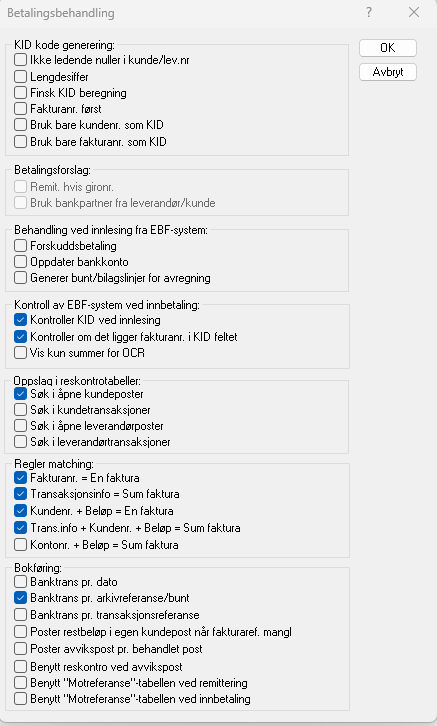
In Payment processing, choose:
-
Which transactions should be searched through.
-
Which integrated rules should be applied.
-
Best practice: Only search in open customer transactions.
-
Searching all transactions may result in incorrect matches.
-
-
If only invoice numbers or customer numbers are used in KID, check the appropriate box here.
Matching Rules
Aritma Pay provides advanced matching rules that enable matching of payments even without KID or invoice numbers.
-
These rules are entered in the Free text reconciliation field.
-
Se here for more information.