

Before one can reconcile an account, you must link the general ledger and the bank account, and register the opening balance consisting of the balance and any open items, here referred to as opening entries. This is done in the account wizard.
To set up a new account group, go to Settings -> Manage account groups
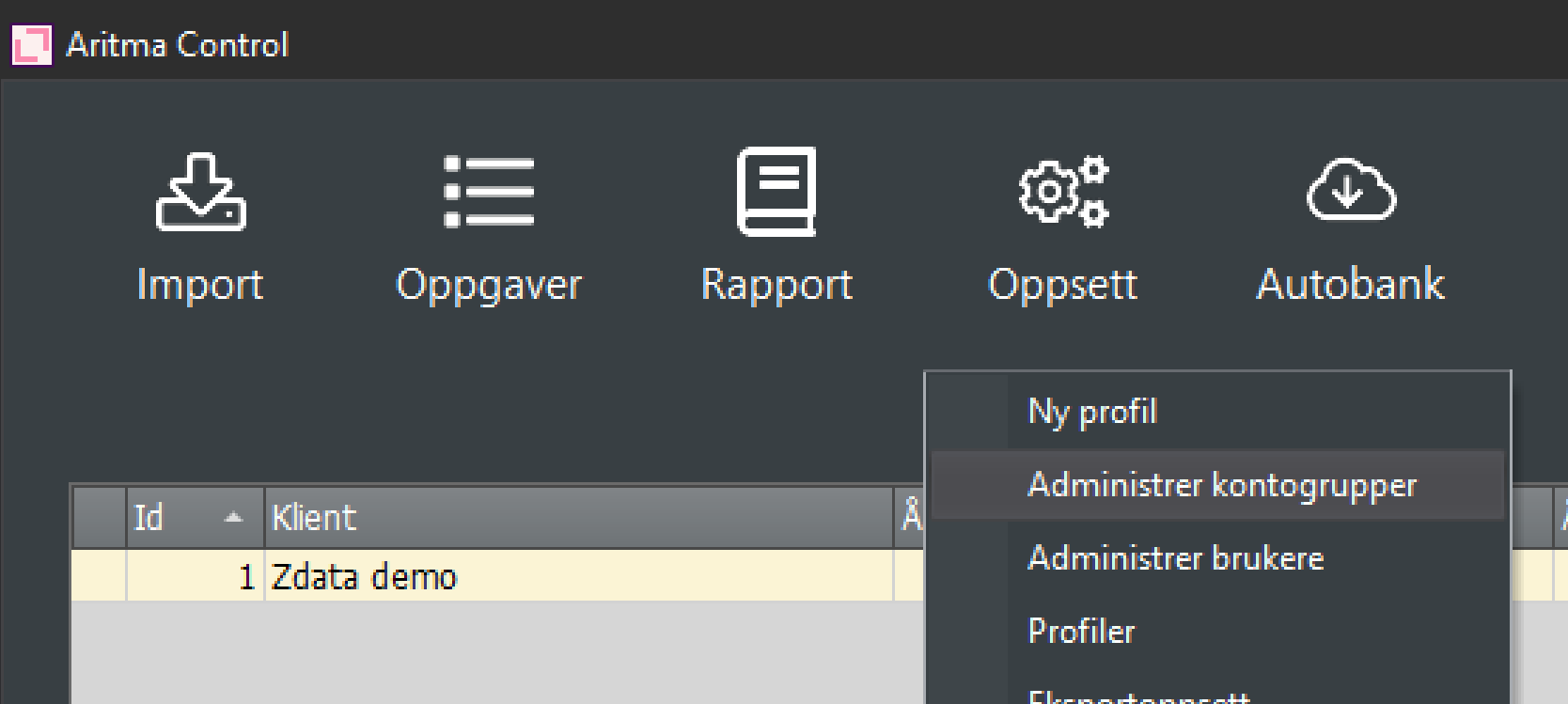
Click on "New".
Choose Bank reconciliation or Interim.
Select General Ledger, Customer, or Supplier to determine which type of account you should pull from the accounting records in the next image.
See also Different types of reconciliation in Aritma Control
To have the customer list appear in the next image, you must select a customer on both the right and left sides in the image below, same for the supplier.
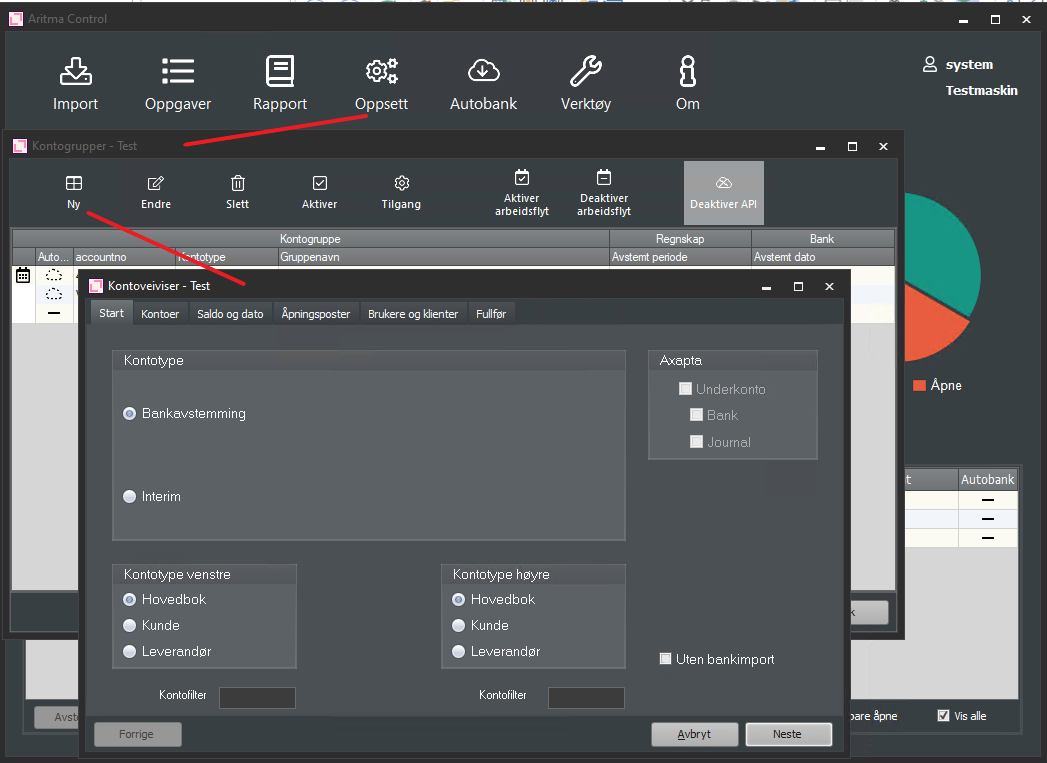
Then click "Next".
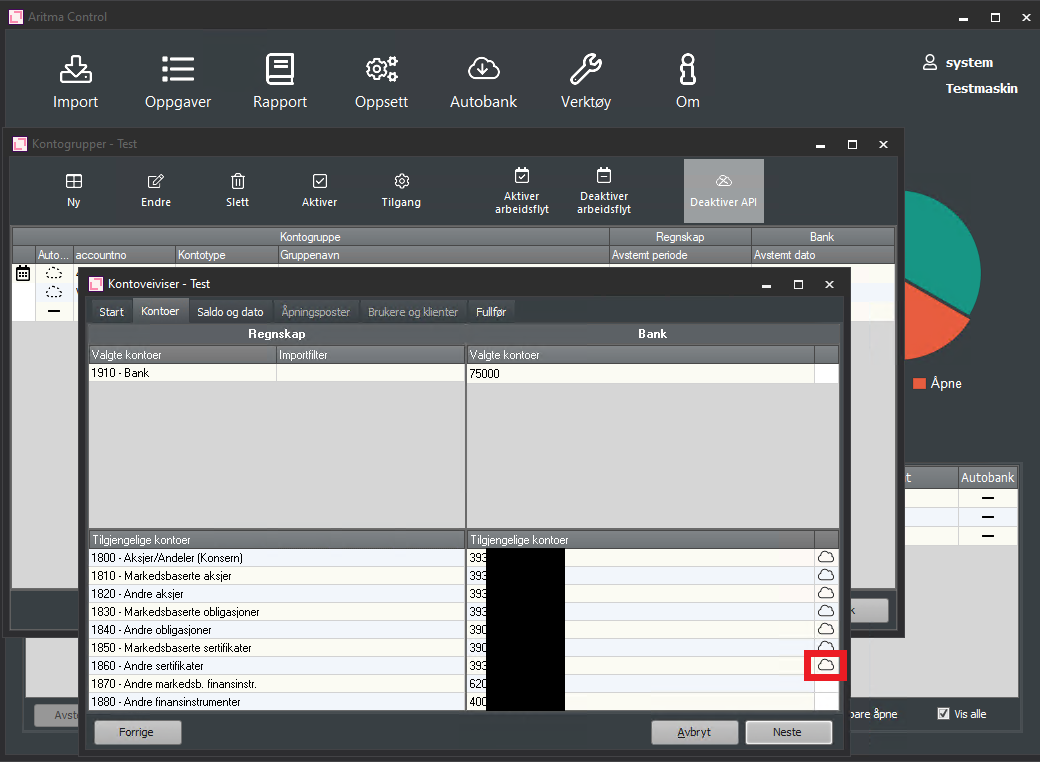
Each account must be linked to a general ledger account. For the bank account to appear in the suggested list, either bank integration must be enabled or you must have imported a reconciliation file from the bank for the relevant account number. Accounts available via bank integration will have a cloud icon on the right side of the list. Double-click the desired account on the bank side. Then double-click the correct account on the accounting side.
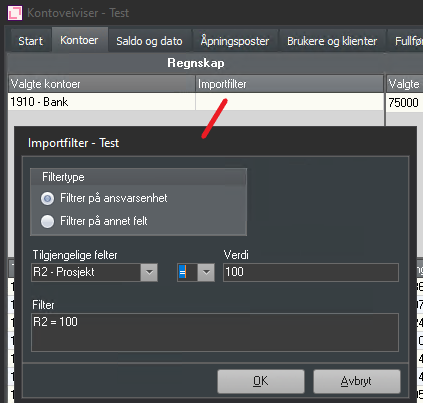
Here you can also set a filter on the import if desired. For example, you can set that only transactions posted to project 100 should be retrieved as follows:
Then click "Next".
Enter the last period you have reconciled in the accounts. This indicates that you want to start the reconciliation in Aritma Control from the period after that. The program automatically retrieves the balance from the accounting system. With bank integration the program also retrieves the updated balance from the bank. If you do not have bank integration, you must manually enter the bank balance. Verify that both balances match.
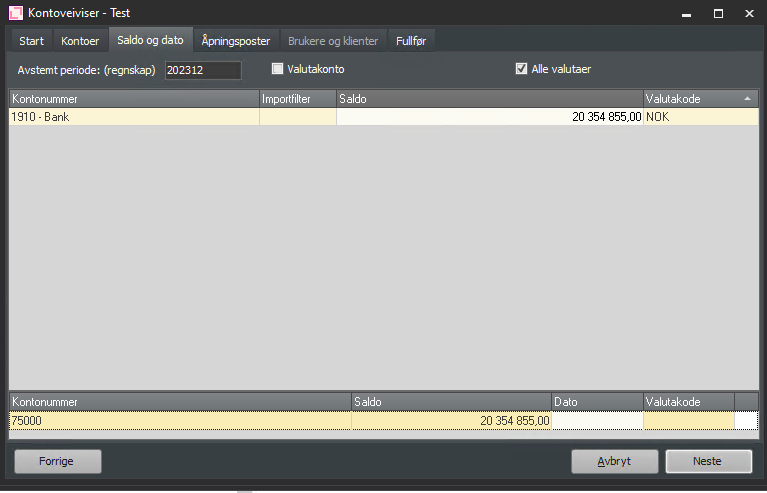
- Currency account: If amounts in foreign currency should be imported instead of the base amount. For example, the customer has a euro account, but accounting is conducted in NOK.
- All currencies: If currency corrections are posted at the end of a period on a currency account and you do not want to include these. Without a checkbox, only transactions in the same currency as the account will be imported.
Click "Next".
If there is a discrepancy between the balance in the accounts and the bank balance, you must register opening postings. Enter opening postings.
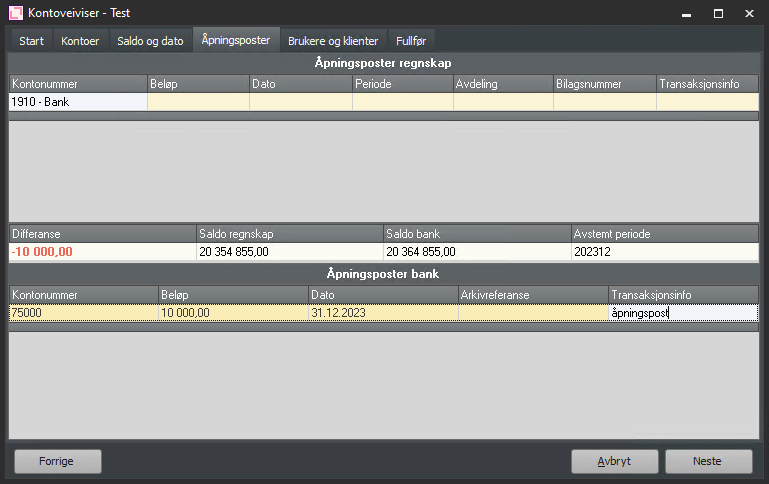
To delete an entry that has been added, select the entry and press CTRL + Delete.
Click "Next".
Choose which users should have access to reconcile the account.
Click "Next" and "Finish".
You can now reconcile this account by selecting it in the overview and clicking "Reconcile".