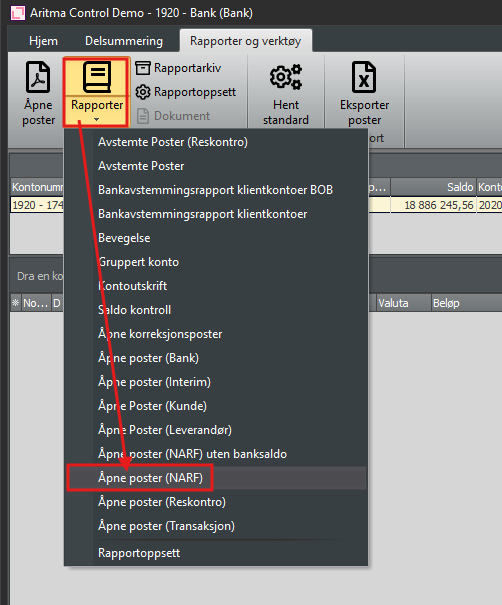
If a posting from one period is reconciled against a posting in the next period, the posting will not be shown if you click directly on the Open Items report. To retrieve the report from the past, you must therefore follow the instructions below.
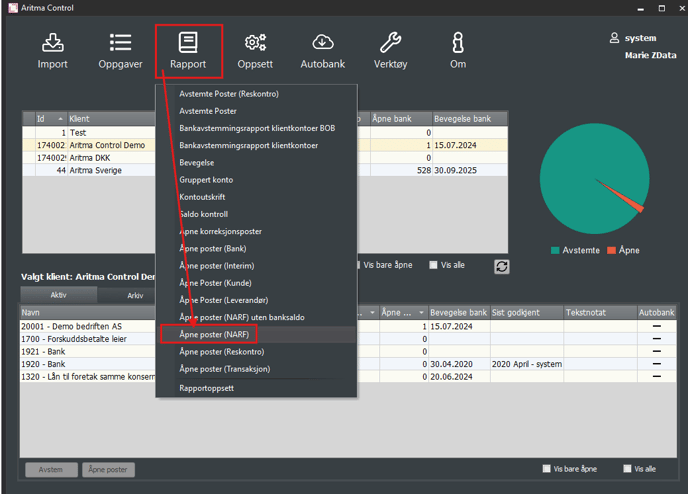
Go to Reports and select Open Items (NARF)
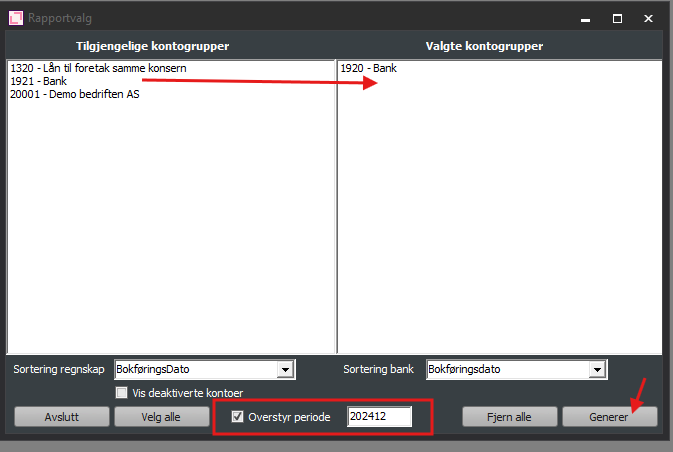
Double-click the account you want to fetch the report for, check the Override period box, select 202412 and click Generate
You can also find it when you are inside the reconciliation of an account group. Then you will find it under Reports and Tools: