Different types of reports
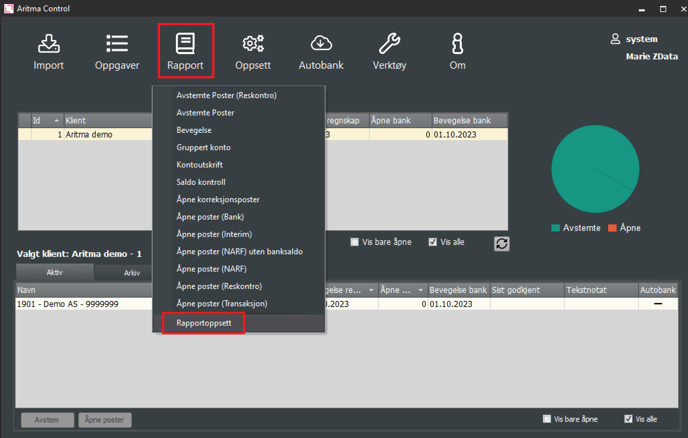
Aritma Control supports generating a range of reports. The report Open items (NARF) is, for example, useful for documenting bank reconciliation after the reconciliation for a given period has been completed. Open items (Interim) are useful for documenting interim reconciliation. You can find the various reports by going to "Reports" and selecting the desired report. The reports are stored in the chosen report area.
Customizing fields in reports
You can choose which fields you want to display in the report yourself. You do this by going to Reports -> Report setup.
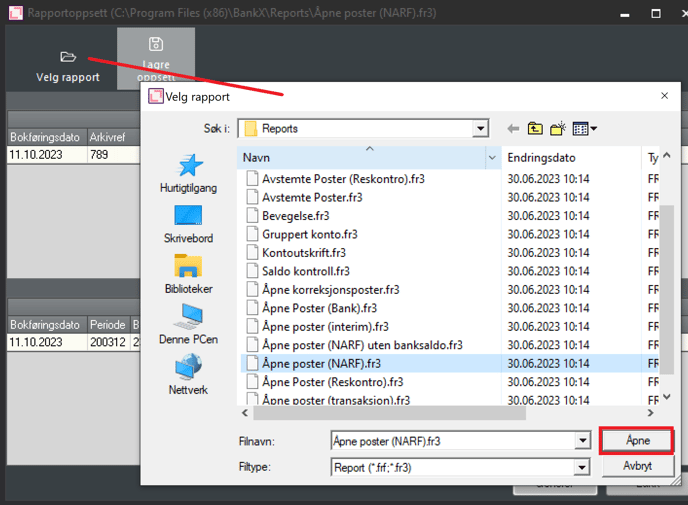
Go to Select report to open the report you want to customize.
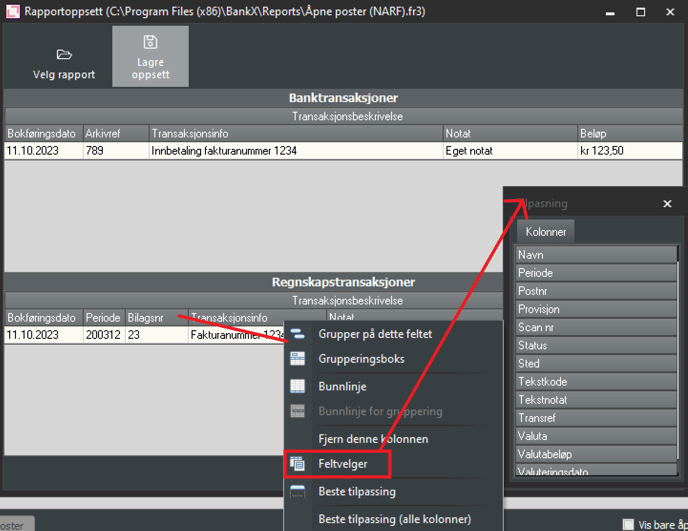
When the desired report is selected, you can modify fields in the same way as in the reconciliation window. Right-click on a field and bring up the field selector. Then you can drag the desired field to the position you want it. If you want to hide a field, drag the field out and release when it shows a cross. There is a field selector for bank transactions and one for accounting transactions. Remember to save the layout when you are finished.