

In Aritma Control you have the option to register vouchers that can be exported to the accounting system. In an accounting system that is fully integrated with Control, vouchers are exported directly to the accounting system and appear as an unupdated batch. If Control is not integrated with the accounting system, you can obtain a tailored file export in the format required to import into the accounting system.
Register transactions that have not been posted to the accounting
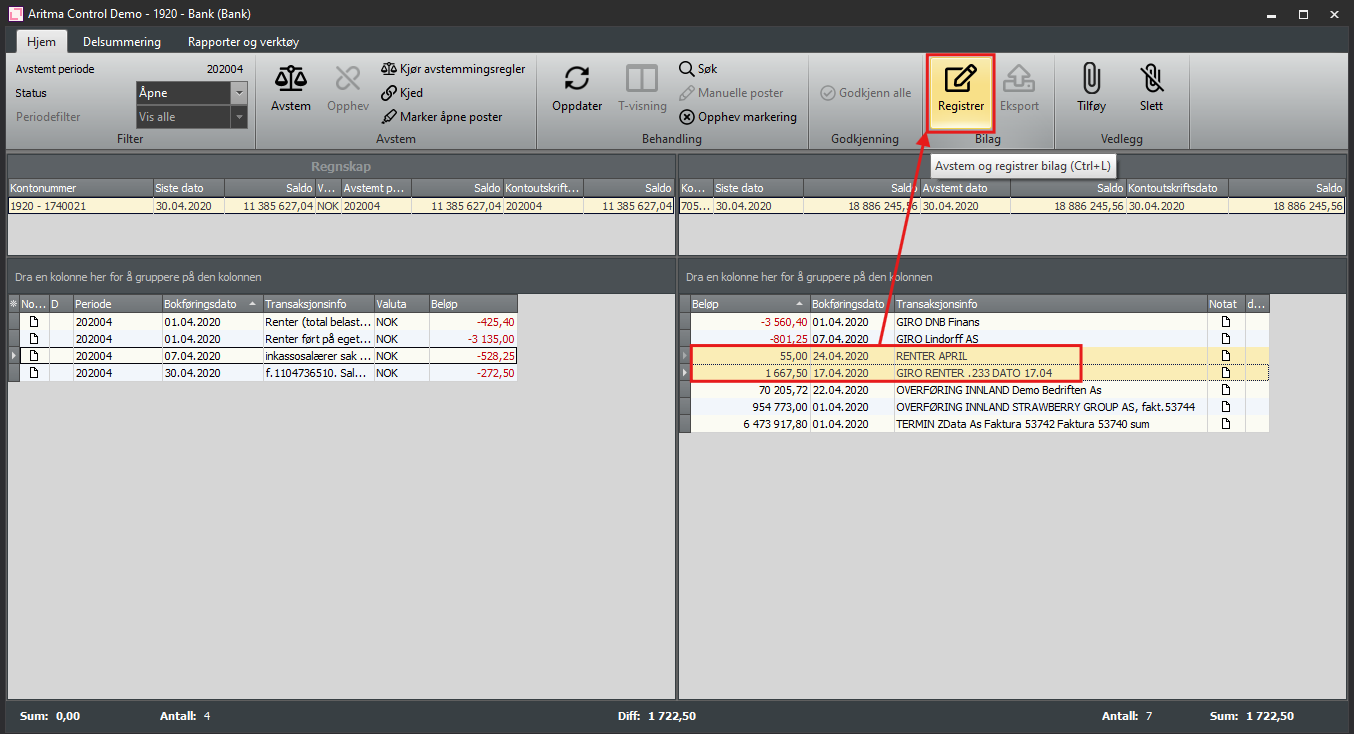
In the screen below, there are interest entries on the account that have not been posted to the accounting. By selecting the items and clicking Register you will get a window for voucher registration.
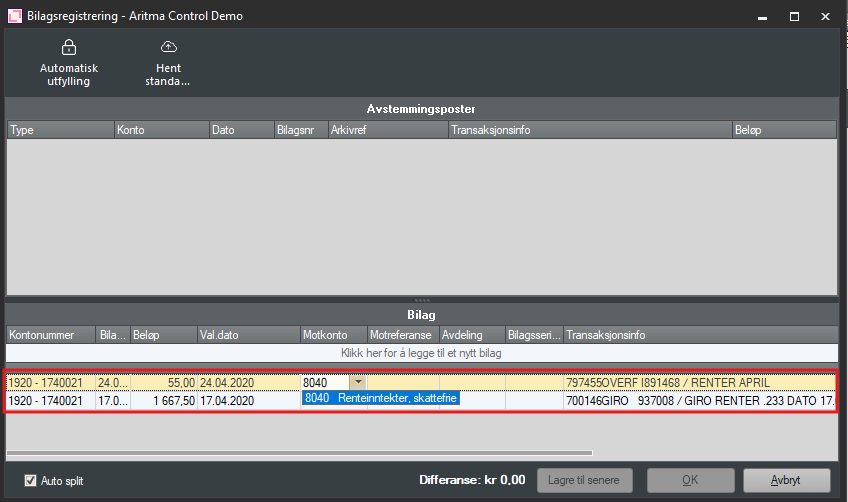
During voucher registration, information from the transaction is attached to the voucher, and you fill in the remaining details required to post it in the accounting.
In an integrated solution, you will be able to search for available accounts in the accounting system against the contra account. You can search by account number or name, and you can search for both general ledger accounts or customer/supplier accounts. When searching by account name, you must enter a minimum of 5 characters before results appear. You can also start with a prefix to narrow the search. These prefixes can be used:
! searches only on amounts
# searches only for customer
% searches only for supplier
If you have several transactions that all should be posted the same way in the accounting (to the same account), you can fill out the top line and then click on Automatic filling. The posting is then copied to the lines below.
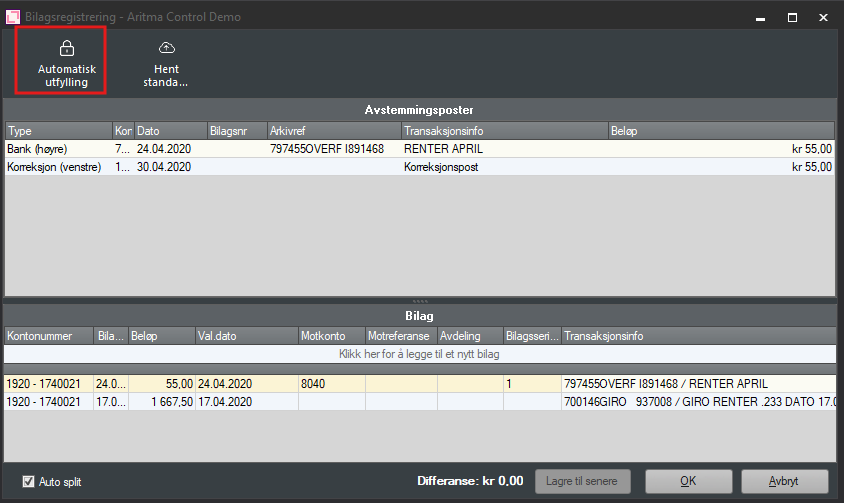
When all lines are filled out, you then click Ok. The voucher is then added as an adjustment entry on the accounting page, ready to be exported to the accounting system.
It is also possible to split a transaction, for example if there is a payment that applies to several invoices. In the screen below, a payment has arrived that should be split across two open postings for the customer. By ticking Auto split (bottom left) you can divide the payment so that both postings are settled.
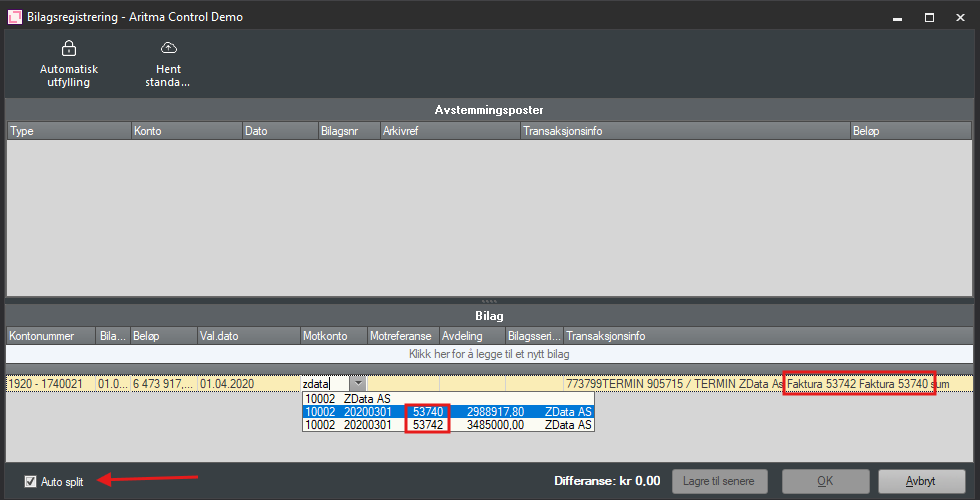
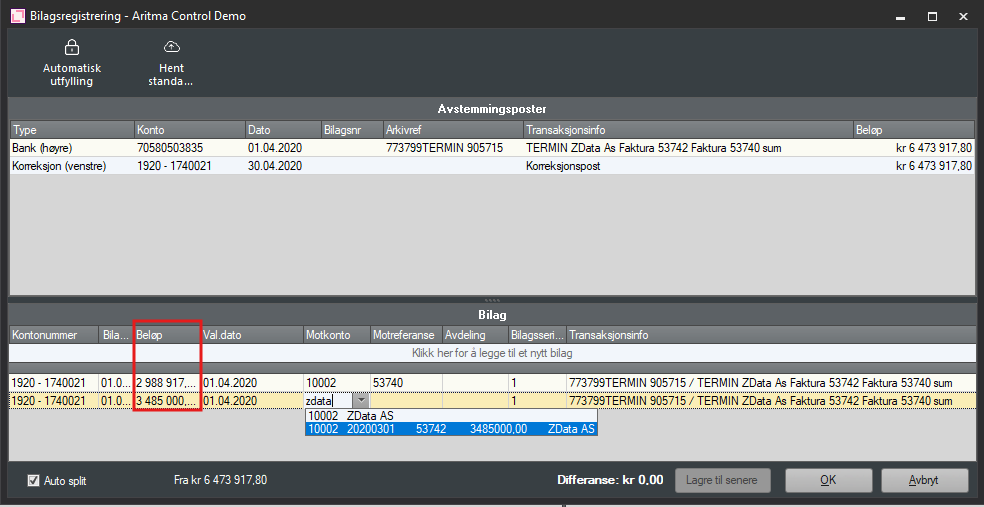
Select one of the invoices that are open for the customer, and Control will automatically split the payment. The first line shows the amount from the open posting you selected, and the next line contains the remaining amount as the value, and you can choose which open posting it should be matched against.
Record differences on transactions to be reconciled
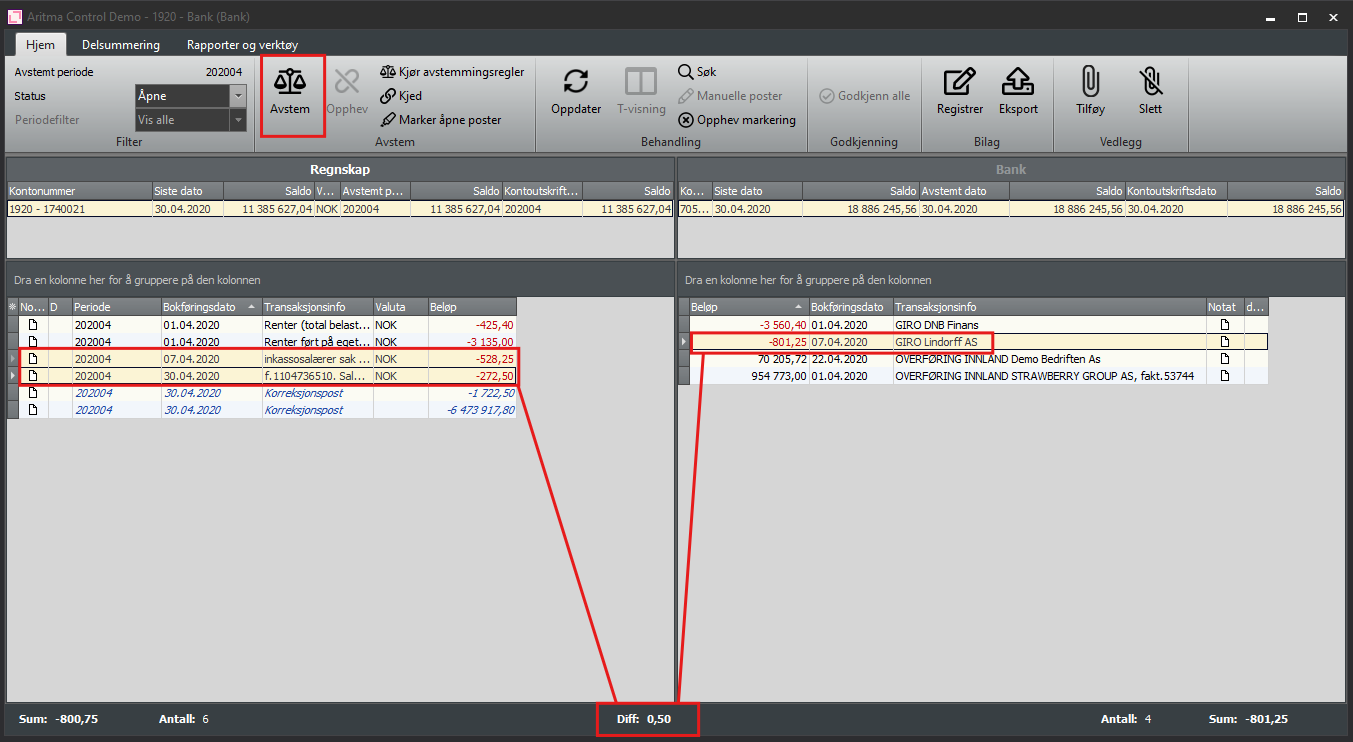
If you have postings that are to be reconciled against each other but do not total 0, you can create journal entries that record the difference on the postings. Mark the postings to be reconciled and press Reconcile. When there is a difference, Control will open the journal entry registration and you can choose how the difference should be posted. In the screen below there is a difference of 0.50 NOK
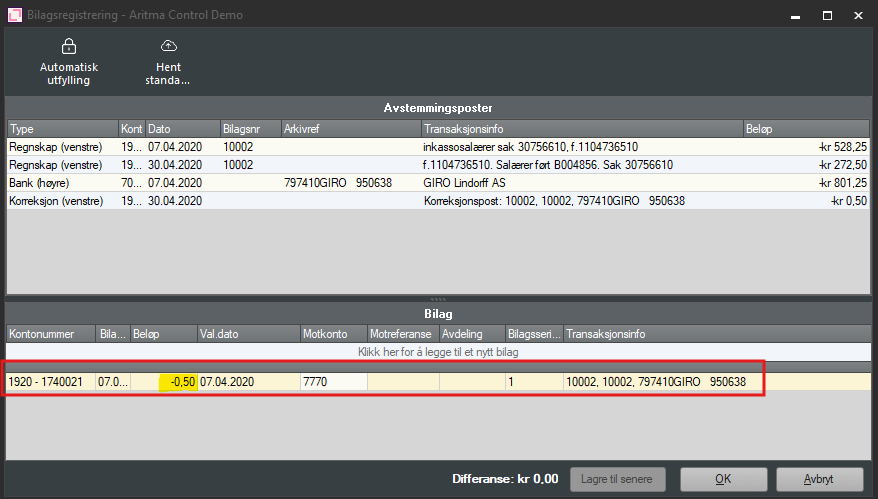
The entries are reconciled and a correction entry of 0.50 NOK is created.
Export vouchers to accounting system
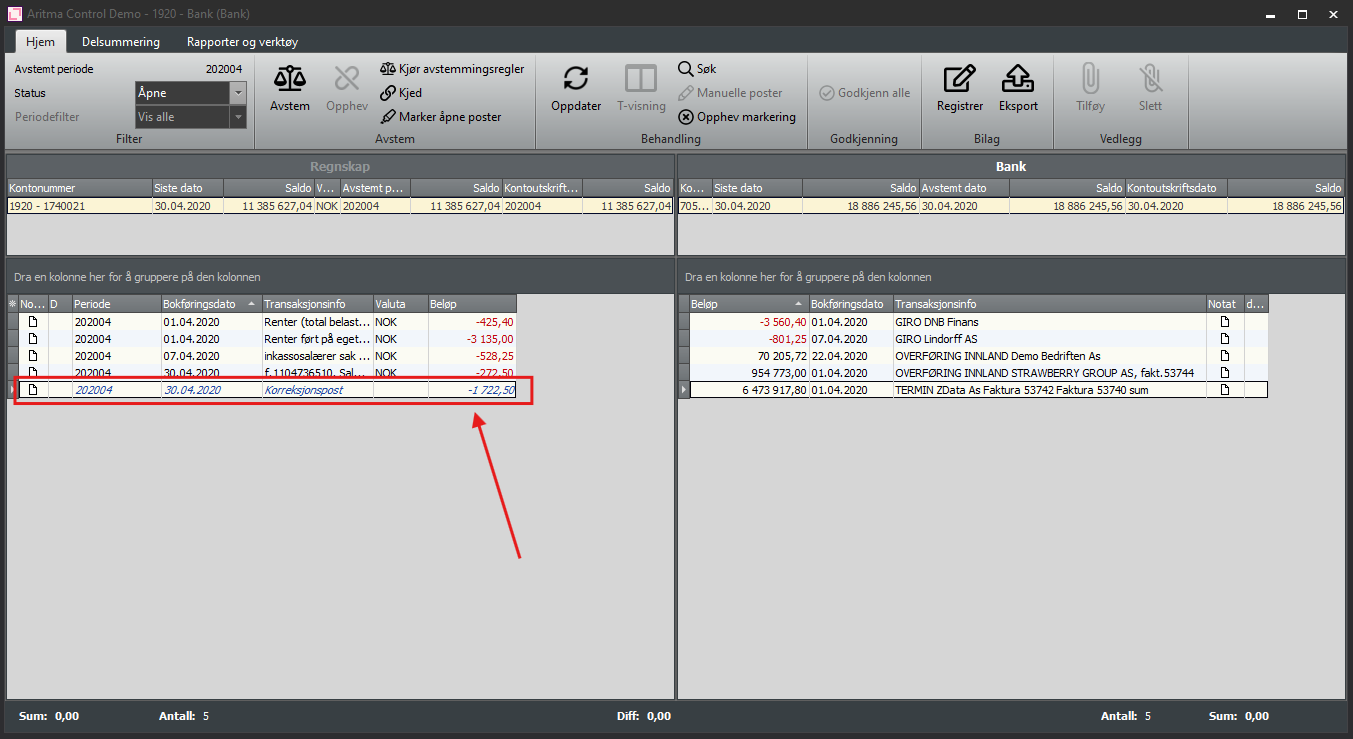
Vouchers ready for export appear as correction entries on the accounting page, and you can see that they stand out because the text is blue and italic.
Click on Export to export these to the accounting system/file.
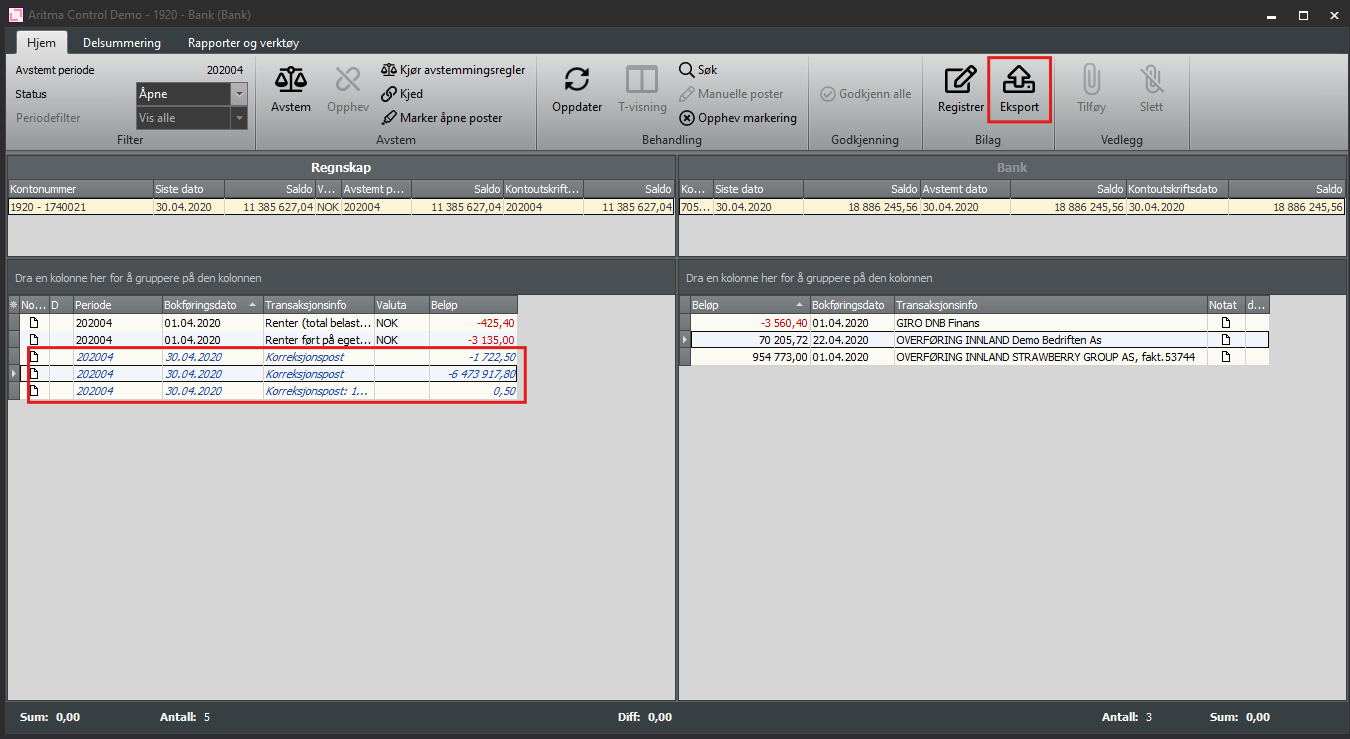
A voucher is created with details about the export; this is automatically stored in the reporting area that is configured under Global Setup.
Example: Export to Visma Business
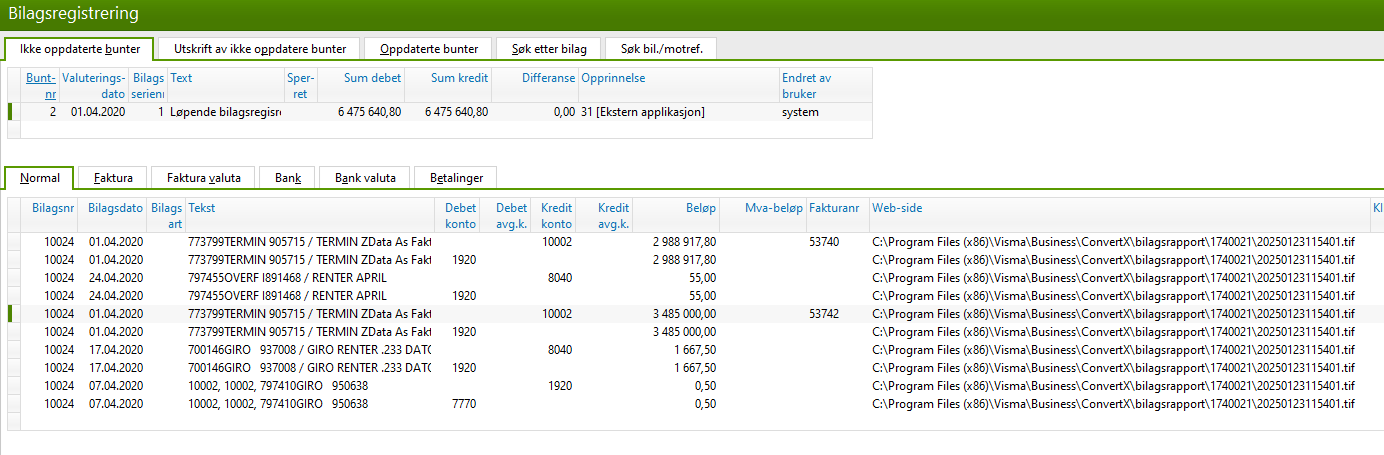
When you have exported from Control, the bundles are placed under Voucher Registration in Visma Business. The link to the report is attached in the Web page field on the voucher and can be opened by double-clicking in the field. Update the batch(es) in the usual way.
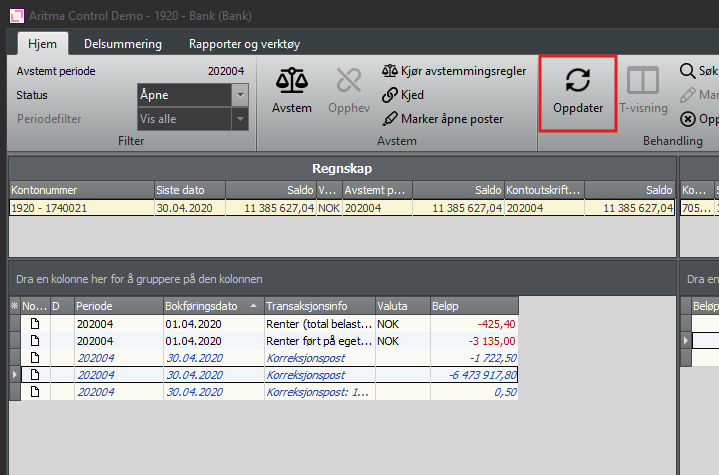
When this is done, go back to Control and click on "Update". Check that the balance now matches. If the balance does not update, try closing the reconciliation window and opening it again.
Accounting systems that support direct posting from Aritma Control
- Visma Business
- Visma Global
- UniMicro V3
- InfoEasy
Other accounting systems can transfer vouchers to the accounting system via CSV file. Contact support@aritma.com for more information.