

Information about changes in our installers for Aritma Pay 6.0.1 and Aritma Control 8.0.1.
For the installation guide for Aritma Pay, see here.
New installation
In these new versions we have gone from one installer per product per integration to one installer per product.
This means there are only 2 installers, one for Aritma Pay and one for Aritma Control.
You can therefore install the integration for General, Visma Business or others with the same installer.
Note that our installer for Visma Business and Visma Global is split in 2. If you want to upgrade both Aritma Pay and Aritma Control for Visma, you must run the installer for both Aritma Pay and Aritma Control.
The installer has a new look, and works the same way for all integrations.

Aritma Pay: Remember to choose the correct integration when installing.
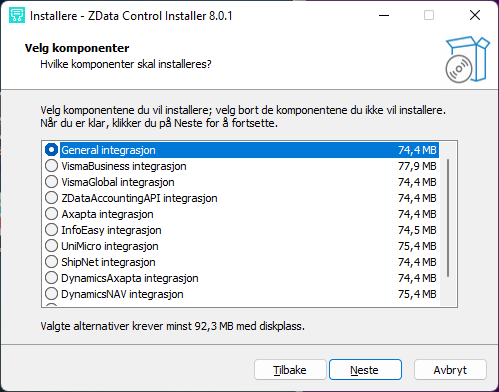
Aritma Control: Remember to choose the correct integration when installing.
When upgrading an existing installation of Aritma Pay 5.x or older, or
Aritma Control 7.x or older, keep the following in mind:
Check that the program folder selected in the installer is correct. We try to find the existing folder, but this may be wrong. We recommend installing over the old version. You will get a warning that "the folder is in use", but you can ignore it if you have chosen the correct folder.
Check that the program data folder selected in the installer is correct. This one can be chosen wrongly, especially when upgrading the Visma Business integration. The Aritma Pay General integration had no program data folder before, so it is created now. You will get a warning that "the folder is in use", but you can ignore it if you have chosen the correct folder.
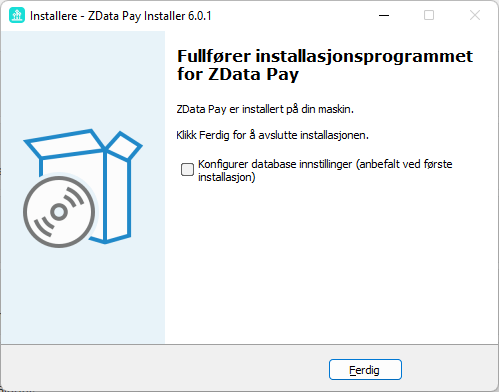
We recommend ticking the last box in the installer only for new installations, not when upgrading. This is especially important for new installations of our Visma Business integration, where it registers itself in the Visma Business database.
Application data
Pay and Control now use an application data folder. This applies to all integrations.
Our program must always have write access to this folder. It holds the configuration file and the default report folder for Pay or Control.
New versioning
We use a standard 3-part version number.
- The major version (X.x.x) goes up when upgrading needs more work than running the installer
- The minor version (x.X.x) goes up with each new release cycle, and so includes all new improvements
- The patch version (x.x.X) goes up for bug fixes, and as a rule does not add new features to the product