

To be able to create an account group or reconcile an account, you must first import a bank file. If you have a bank integration (Autobank), we will fetch the bank transactions for you. The file you import is downloaded from your online bank. Contact your bank if you have questions, as the procedure may vary between banks.
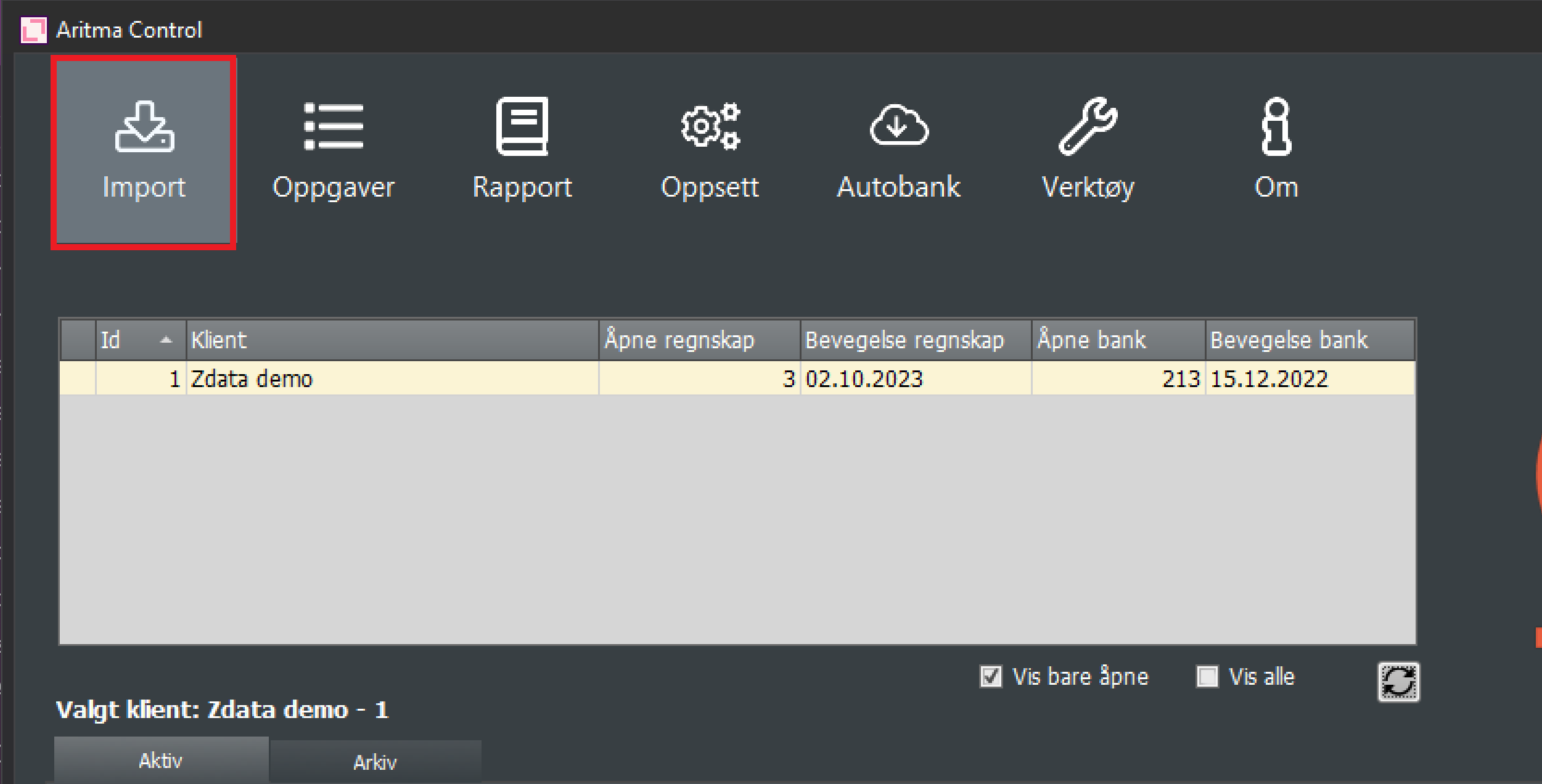
To import files into the program, select Import from the main window:
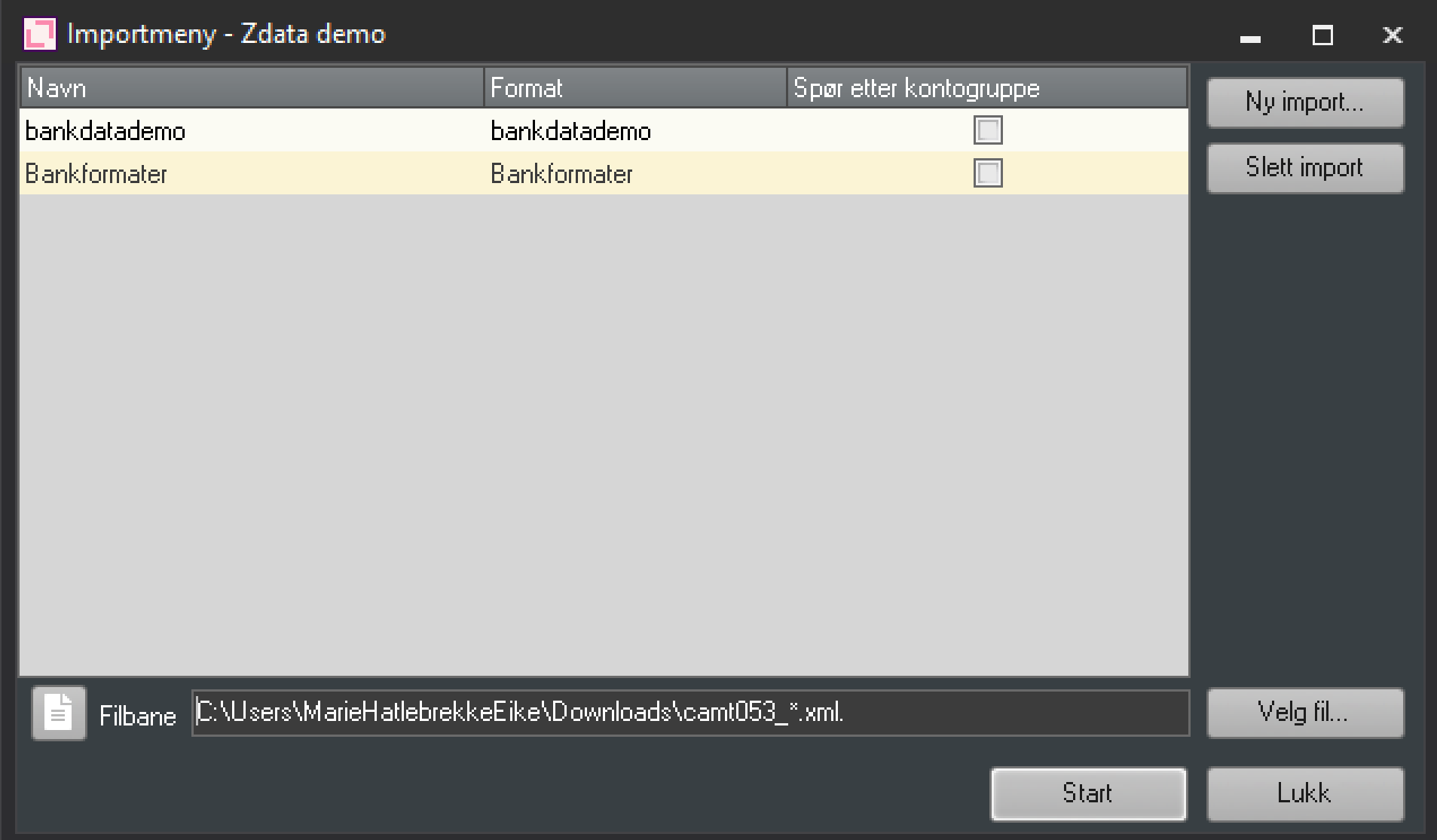
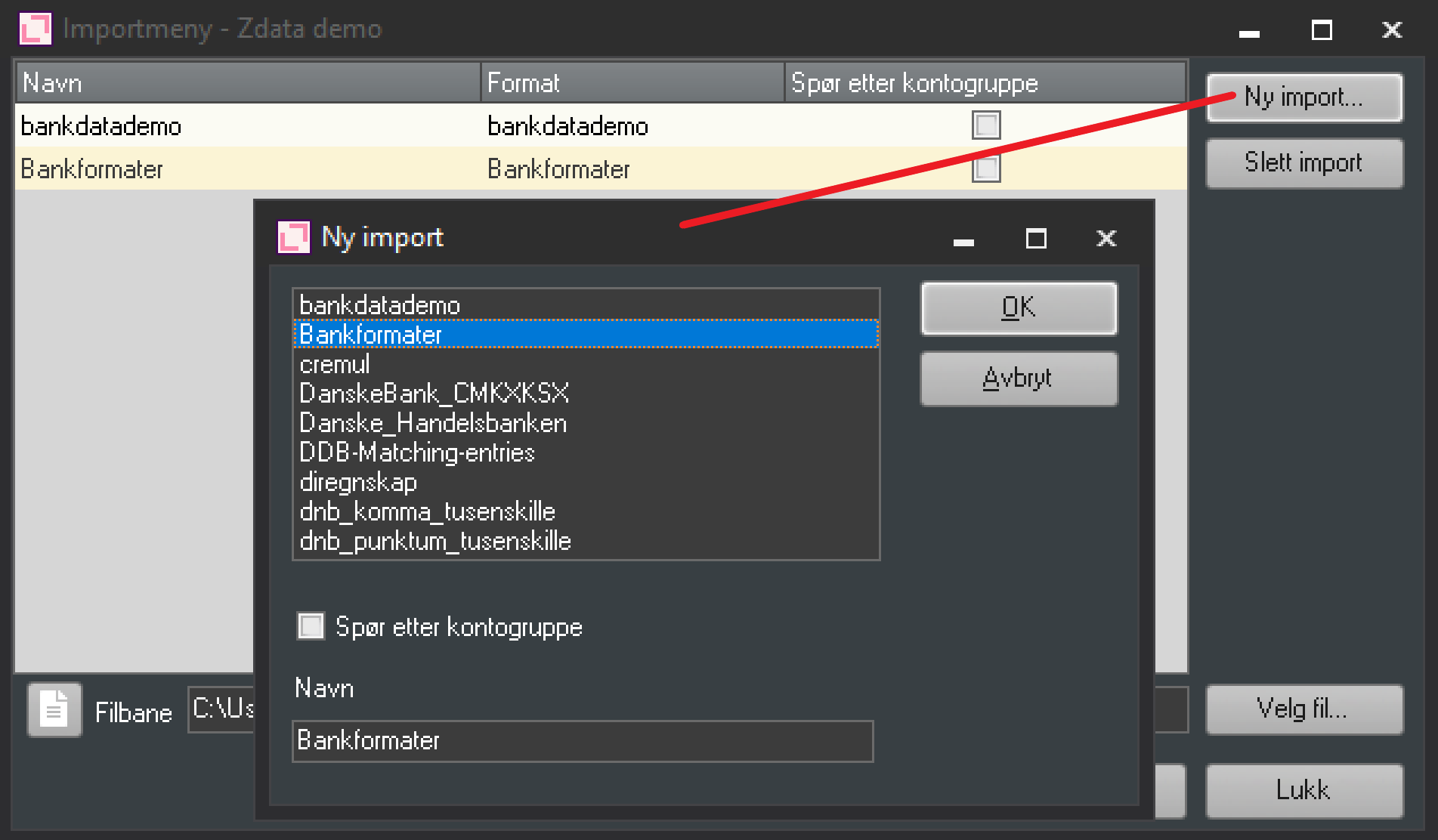
If the format you need does not appear in the list, choose New Import and then select the correct format from the list. Usually, Bank Formats are used. If the format you need is in the list, select it as shown below, browse for the correct file in the File Path field, and click Start.
If you can't find the correct format in the list, start a new import to retrieve it.
Aritma Control (formerly BankX) comes installed with a range of import formats that cover the formats used by banks in the Nordic countries. If you want to import a file that isn't covered by the formats included, we can look at the possibilities for creating a custom script on order. Please contact us for an assessment and a price quote.