

From the main screen in Aritma Control (formerly BankX), select:
About -> License Information
Here you will get an overview of your license. Among other things, you can see how many clients and users are included in your license, as well as how long the license is valid.
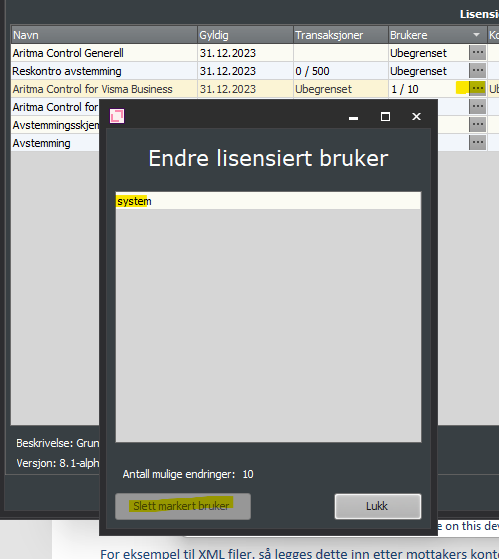
If you want to remove a user from the license, go to the Users column and select "...".
Here you can select the user you wish to delete and remove the selected user.
If you experience issues with the license, for example that recent changes have not updated, click Update License and see if this resolves the problem. If not, contact support@aritma.com and we will assist you.