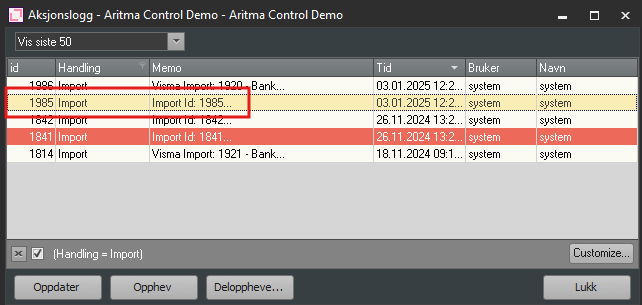
If you have duplicate transactions caused by a manual import, you can easily reverse this by using the import ID found on the transactions. The import ID is the same as the ID in the Action Log, and it can be used when reversing an import.
Open bank reconciliation on the relevant account.
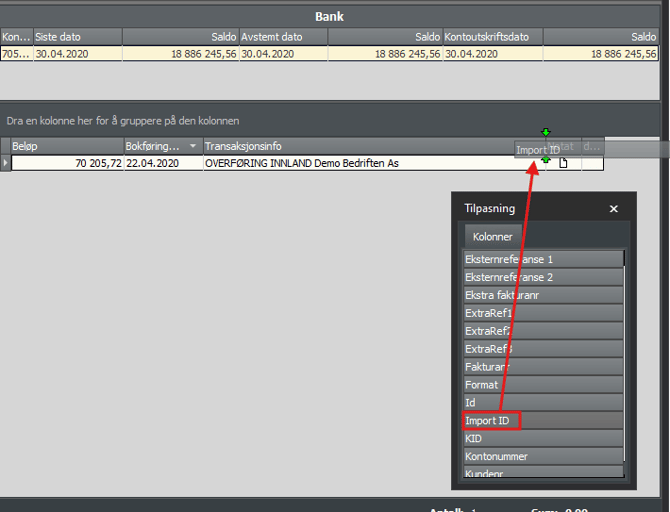
Right-click the header of a column and select Field Chooser from the menu.
Find Import ID in the list and drag it between two columns
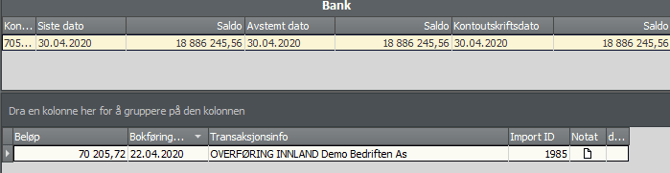
With the Import ID column visible, you can note the ID of the transaction(s) you want to reverse the import for.
In the Action Log, you can search for this ID and reverse the import.