

If you have Aritma Control integrated into your accounting system, you have the option to post vouchers directly in Control and then transfer them to the accounting system. This is useful both for posting new vouchers and for correcting any errors. Vouchers that have been posted in Control are transferred to the accounting system by clicking on "Export", as shown in the image below.
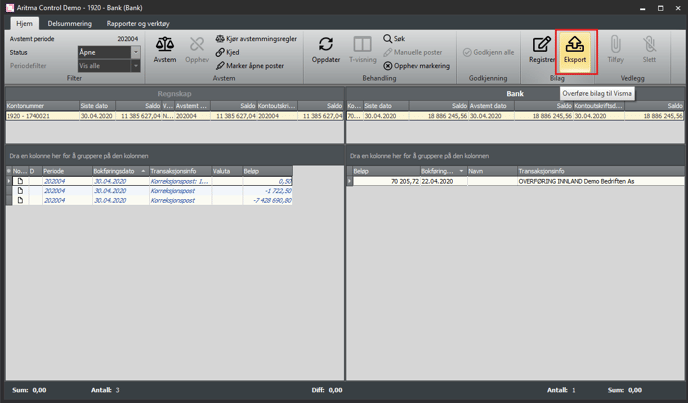
Example: Export to Visma Business
When you have exported from Control, the batches will appear under Voucher Registration in Visma Business. Update the batch(es) in the usual way.

When this is done, go back to Control and click on "Update". Check that the balance now matches. If the balance does not update, try closing the reconciliation window and opening it again.
Accounting systems that support direct posting from Aritma Control
- Visma Business
- Visma Global
- UniMicro V3
- InfoEasy
Other accounting systems can transfer vouchers to the accounting system via a CSV file. Please contact support@aritma.com for more information.