Gå til dashbordet, og trykk på "Create new reconcile group" - eller gå til https://control-web.aritma.app/reconcile-group/create.
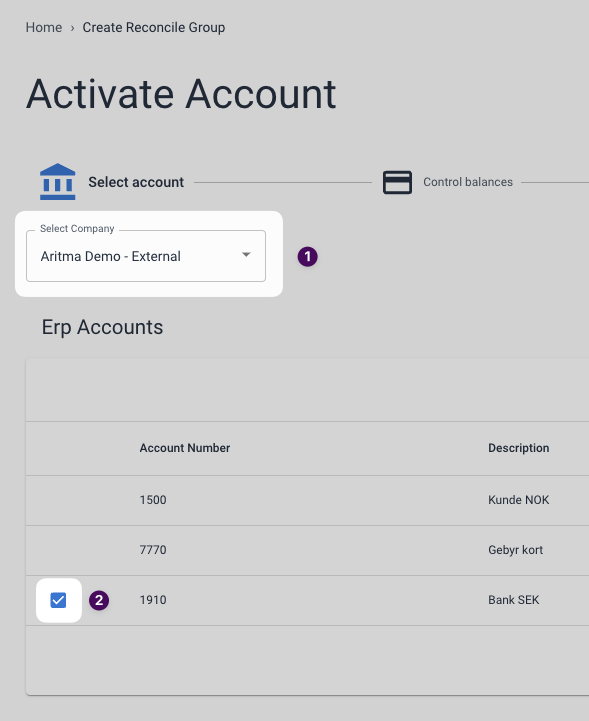
Steg 1: Velg regnskapskonto
Velg selskapet du vil opprette en avstemmingsgruppe for i nedtrekksmenyen. Du vil da få en oversikt over alle hovedbokskontoene som Control har hentet fra regnskapssystemet. Huk av for kontoen(e) du vil legge i avstemmingsgruppen.
Steg 2: Velg bankkonto
Hvis du skal sette opp interim/balanseavstemming, kan du hoppe over dette steget.
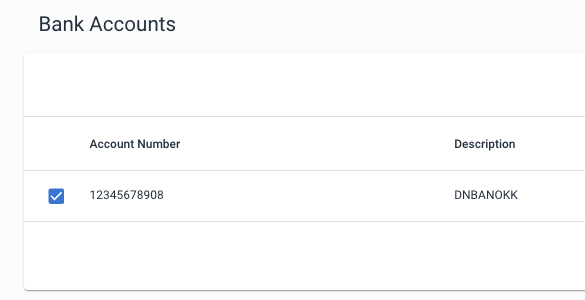
Etter du har valgt ERP-konto, vil tilgjengelige bankkontoer dukke opp i en liste nedenfor. Her kan du huke av for bankkontoer du vil avstemme ERP-kontoene mot. Merk at det vil kun vises bankkontoer som har identisk valuta som de valgte ERP-kontoene.
Hvis du ikke har bestilt bankintegrasjon kan du kontakte [Aritma Support](mailto:support@aritma.com), så hjelper vi deg.
Step 3: Select start period
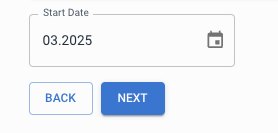
In the "Start Date" field you select which month you want to reconcile from. Note that if you, for example, select "03.2025", the reconciliation will start from 01.03.2025. Once you have chosen a start period you can click "Next".
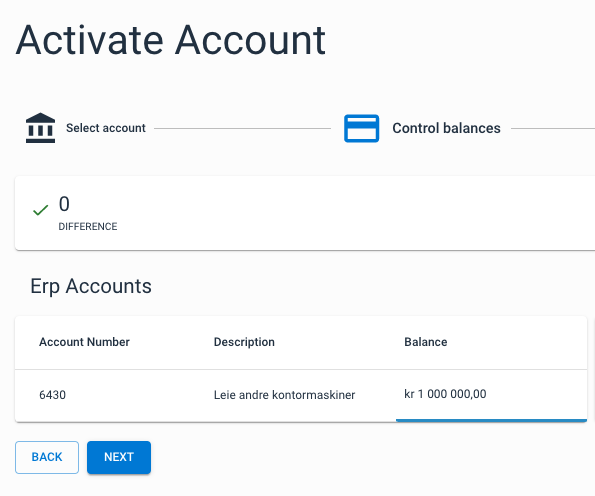
Step 4: Check balances
Set up the opening balance for the accounting period in the start period, and, if applicable, for the bank. Control will try to fetch the balances automatically, but there is an option to correct or enter your own values. If you are setting up bank reconciliation and have set the start period to before the bank integration was ordered, the IB for the bank must be entered manually. This is because banks do not send data back to us in time (before the bank integration was established).
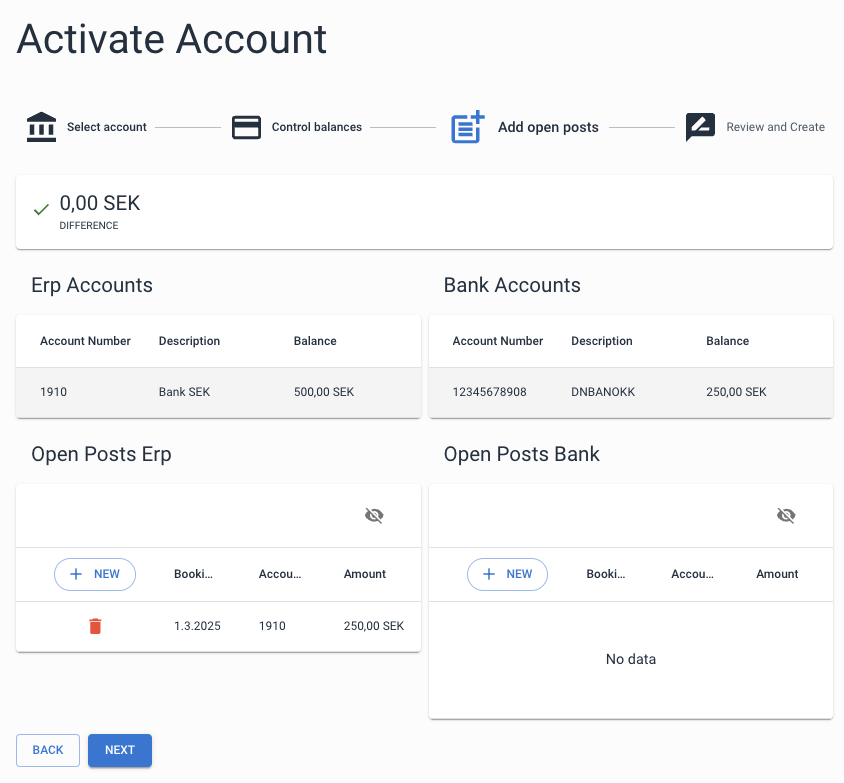
Step 5: Opening postings
Add opening postings that were posted before the start of the period. If there is no difference after you have entered the opening balances and opening postings, you can proceed to the next step.
Step 6: Finalization
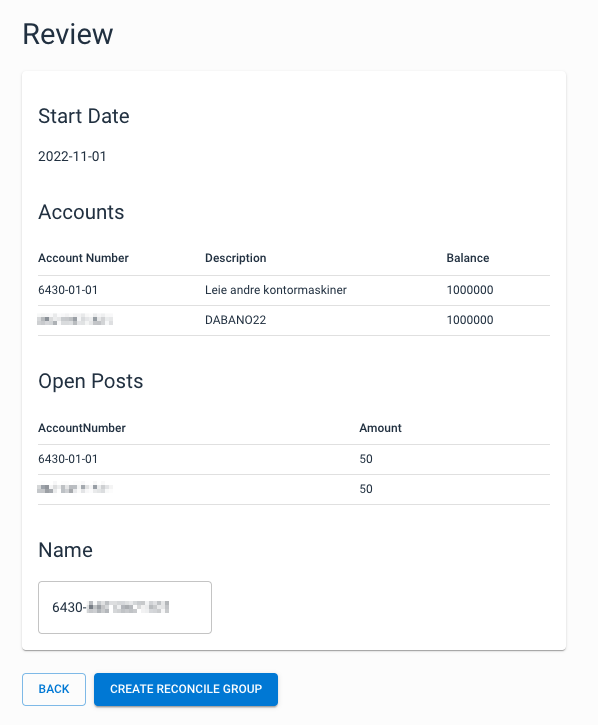
In the final step you will receive a summary of the reconciliation group that will be created. You also have the option to give the group its own name. Click on "Create reconcile group" to create the group.