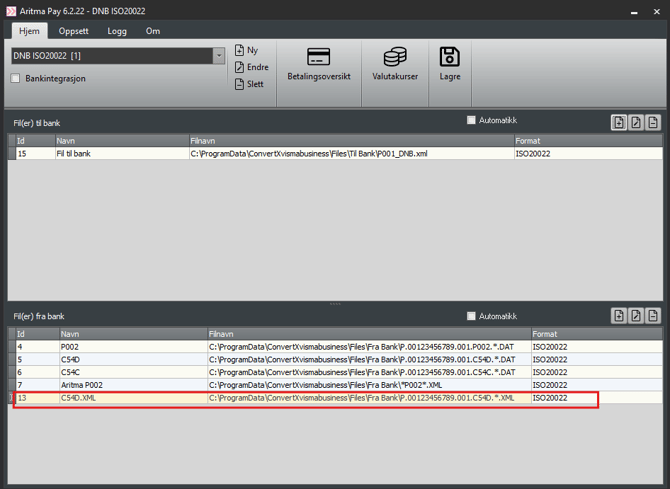
Open Aritma Pay.
-
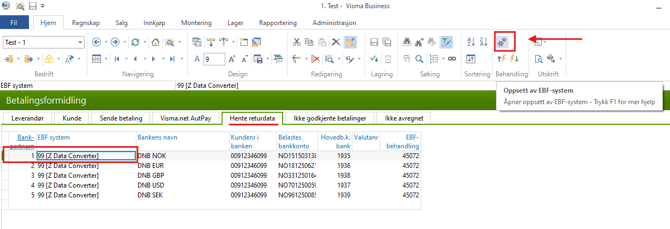
You can do this from Payment Processing → Retrieve return data.
-
Select a bank partner and open Pay by clicking the gear icons under Processing.
In Pay, choose the profile used for file import and add a new import line by clicking the plus (+) icon.
-
Enter a desired name for the import line.
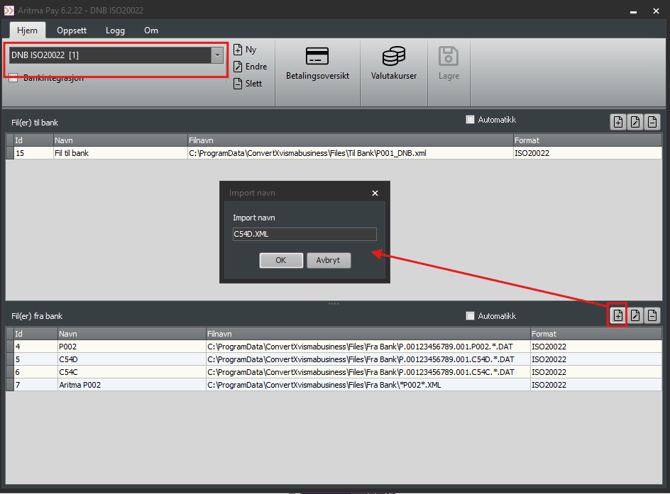
Enter the correct file path (you may copy it from another line) and select the import format.
-
In the file path, you can use
*as a wildcard so you don’t need to select a file manually before each import.