By default, payments to the same supplier on the same date are bundled together to save on transaction fees.
We recommend keeping the default setting, but if needed, you can send individual payments. This is done by enabling a specific setting (see below). Note that once this setting is enabled, you cannot send or remit credit notes. These must be processed/settled in advance.
How to enable batching per payment line
-
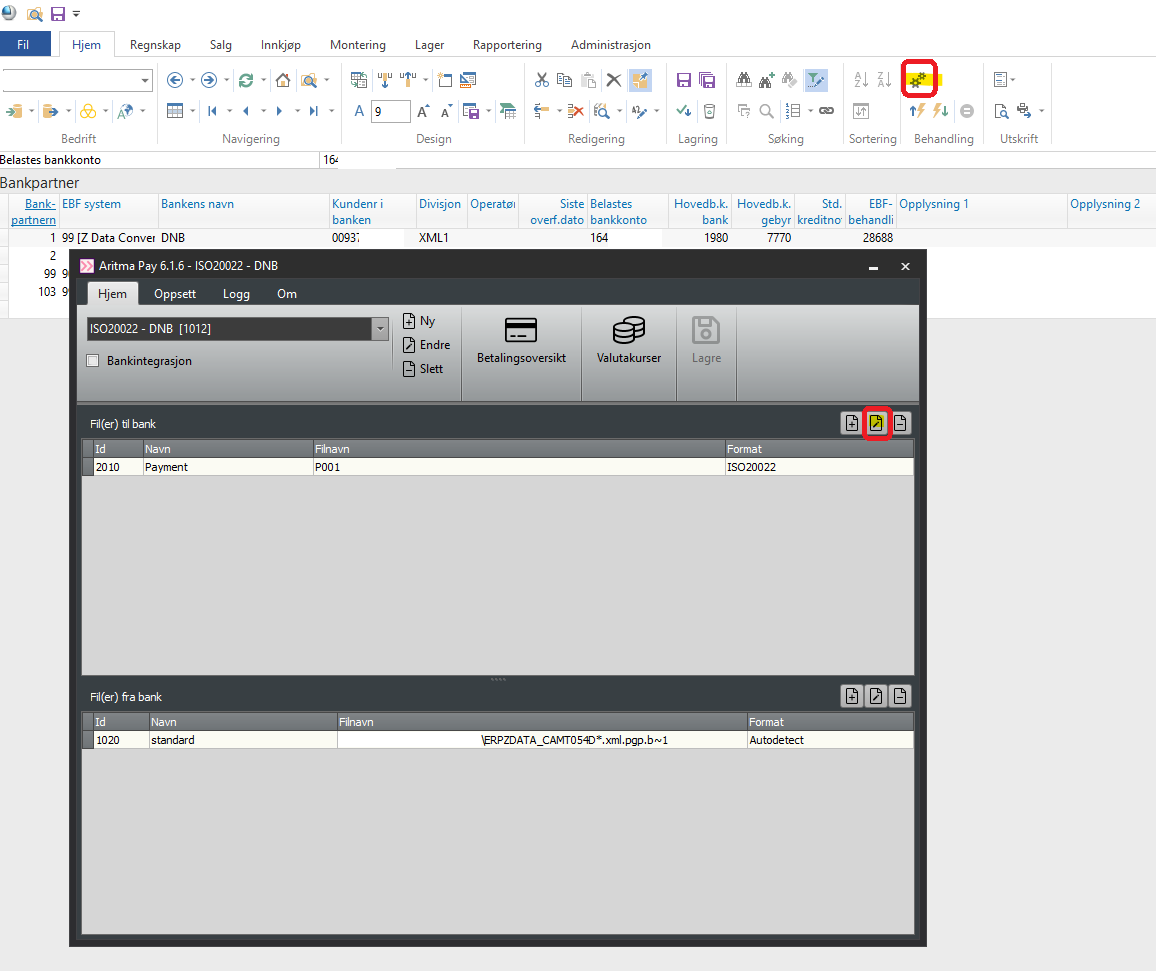
Open Aritma Pay by clicking the two gear icons from Bank Partner in Visma Business.
-
Open the parameters under the ISO20022 format.
-
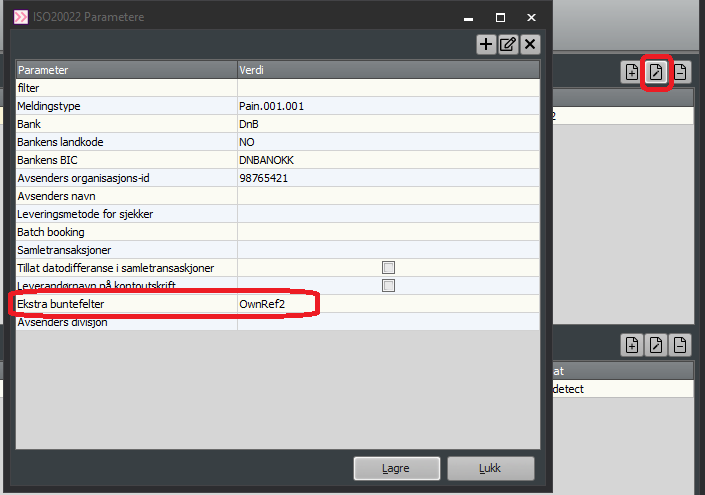
Enter OwnRef2 in the field Extra batch fields.
Payments will now be sent one by one.