

AC error message – Common when errors occur related to debtor and creditor accounts
Causes:
-
The currency registered on your account does not match the currency of the payment
-
No currency is registered on your account
Solution:
-
Check that the account currency is correct
-
Go to the Pay Portal (https://pay.zdata.no/). Select Settings and then Accounts
-
Click on the relevant account number. Change the currency under Currency if necessary, then click Save
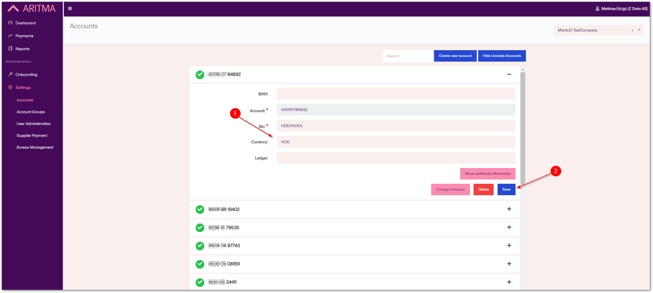
If you are certain that your account has the correct currency and you are still receiving this error message, please contact our customer support at support@aritma.com. Include the following information about the rejected payment:
-
Company (Name and organization number)
-
Sender account number
-
Amount
-
Date